


AI for web design is transforming how designers, developers, and businesses approach the creation of digital experiences. Traditional web design required hours of manual coding, meticulous layout planning, and iterative testing to produce a polished final product.
Today, artificial intelligence offers tools that automate repetitive tasks, enhance creativity, and optimize user interactions. Creative web design companies are already leveraging AI to produce websites that are not only visually stunning but also highly functional and user-friendly.
By incorporating data-driven insights and automated design processes, AI enables designers to focus more on storytelling and innovation rather than purely technical execution. The fusion of human creativity and machine intelligence is creating a new era in which websites are tailored, adaptive, and engaging in ways previously impossible.
Benefits of Using AI for Website Design
The adoption of AI in web design offers multiple benefits that streamline the creative process while enhancing the overall user experience. By leveraging AI, businesses can accelerate development cycles, create highly personalized experiences, and ensure websites remain inclusive and accessible. Below, we explore seven major benefits of integrating AI into website design.
1. Rapid Prototyping and Layout Generation
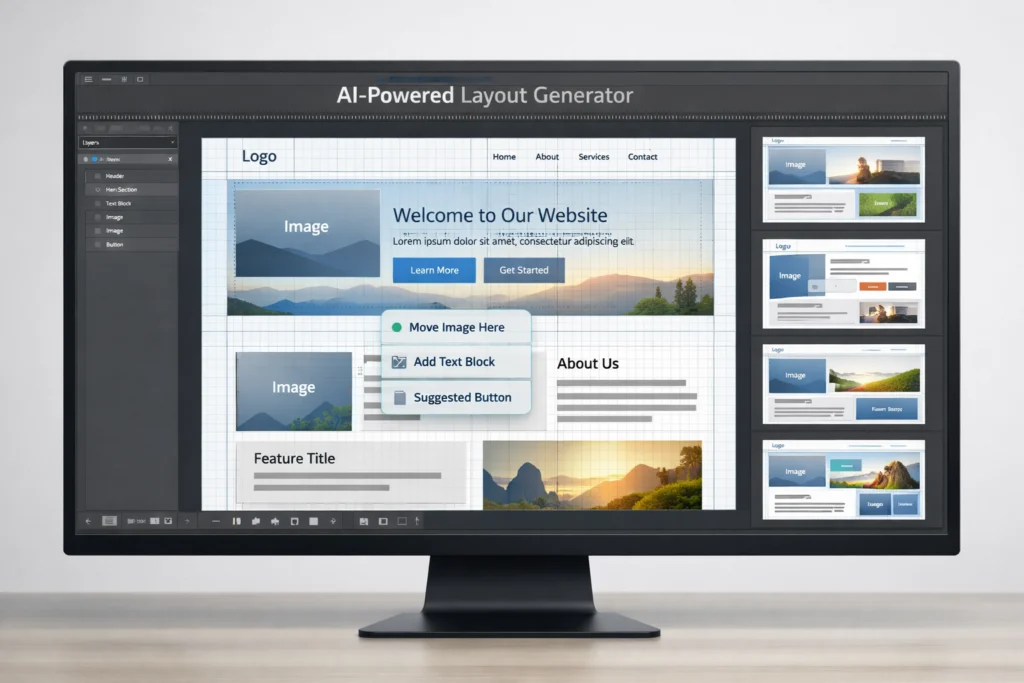
One of the most immediate advantages of AI for web design is rapid prototyping. Tools like Framer AI and Uizard have transformed the traditional “blank canvas” problem into a fast, interactive workflow. Designers can input a simple text prompt, describing the type of website they need, and the AI generates fully functional wireframes or high-fidelity layouts in seconds.
This capability allows teams to explore numerous design directions without investing hours into coding or manual layout adjustments. The designer’s role evolves from creating grids and manually positioning elements to curating a creative vision. By quickly iterating multiple layouts, teams can identify the best aesthetic and functional combination before committing to full development.
2. Hyper-Personalization of the User Journey
AI in web design allows for hyper-personalization that dynamically adapts to individual users. By analyzing user behavior, referral sources, and browsing history, AI can swap out headlines, images, and call-to-action buttons in real time.
This ensures that first-time visitors receive a welcoming introduction, while returning users encounter content aligned with their previous interactions and preferences. Hyper-personalization increases engagement, reduces bounce rates, and improves overall conversion by creating an experience that feels custom-built for each visitor.
3. Automated Accessibility and Inclusive Design
Designing for accessibility has historically been a complex, manual process, requiring meticulous checks for color contrast, heading hierarchy, and screen reader compatibility. AI has automated much of this work, providing real-time suggestions for alt-text, accessible color palettes, and optimized content structures.
Modern AI design assistants ensure that websites meet WCAG standards while also catering to a wider audience with diverse needs. Automated accessibility not only reduces legal risks but also allows businesses to reach millions of potential users who may have previously struggled with navigating traditional websites.
4. Intelligent Asset Creation: From Palettes to Imagery
AI-generated web design is revolutionizing how visual assets are created. Platforms like Adobe Firefly and Khroma allow designers to generate imagery, icons, and brand-aligned color schemes instantly.
By “training” AI tools on a brand’s existing visual identity, designers can maintain consistency across a website while producing fresh content that aligns with the desired emotional tone. This capability eliminates the need to search endlessly through stock libraries and ensures that each asset complements the overall design language.

5. Predictive UX and Heatmap Simulation
AI in website design can predict user interactions before a site even launches. Tools such as Attention Insight use neural networks to generate synthetic heatmaps, identifying areas where users are most likely to focus.
By understanding these patterns in advance, designers can optimize visual hierarchy, navigation paths, and call-to-action placements. Predictive UX reduces guesswork, minimizes post-launch fixes, and ensures that websites are intuitively aligned with user expectations from the outset.
6. Real-Time Conversion Rate Optimization
Traditional A/B testing often requires days or weeks to determine the best-performing design. AI-powered conversion rate optimization platforms can perform thousands of micro-tests simultaneously, adjusting variables like button color, font weight, or layout structure in real time.
By automatically promoting the highest-performing elements, AI significantly boosts conversion rates and allows teams to focus on strategic design decisions rather than repetitive testing. This results in websites that are both highly effective and efficient in meeting business goals.
7. SEO and Generative Engine Optimization
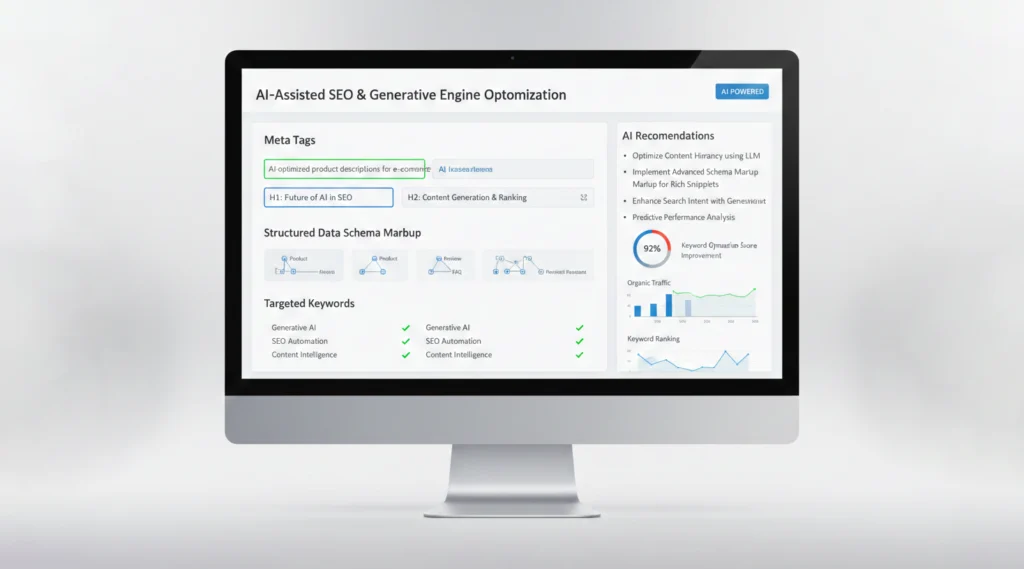
Search engines and AI assistants increasingly rely on structured, semantically rich content. AI tools help optimize websites for discoverability by analyzing content structure, keyword usage, and metadata.
Generative Engine Optimization ensures that AI-powered search engines can parse and reference the content accurately, enhancing visibility and traffic. This is particularly important for websites that rely on organic discovery or voice-based search interactions, ensuring content remains relevant and easily discoverable in a rapidly evolving digital ecosystem.
Different Ways to Use AI in Web Design
The versatility of AI in web design allows for multiple applications beyond standard layout generation. Companies can leverage AI tools to create immersive, dynamic, and highly engaging websites that meet diverse business and user needs. Below are five ways AI can be integrated into web design workflows.
1. Automated Layout and Template Generation
AI tools can analyze the type of content and automatically generate initial layouts or templates, saving time and reducing manual effort. This allows designers to start with a professional, visually appealing structure without building every page from scratch. Automated layout generation is especially useful for e-commerce platforms or content-heavy websites where consistency and speed are critical.
2. Content Creation and Optimization
AI for website design extends to textual content, including blog posts, product descriptions, and SEO-optimized headlines. Platforms like Jasper and Copy.ai can generate or refine content to improve readability, engagement, and conversion. Designers and marketers can use these tools to maintain brand voice while producing large volumes of high-quality content efficiently.
3. Visual and Graphic Design Assistance
AI tools assist in generating images, icons, and banners that align with a brand’s style. Designers can explore multiple visual variations quickly, testing different color palettes, image styles, and visual arrangements. This capability enables creative experimentation while ensuring that final assets remain consistent with the overall design language.
4. Interactive Features and Chatbots
AI-powered interactive features, such as chatbots, recommendation engines, and personalized interfaces, enhance user engagement. Chatbots provide real-time assistance, guiding users through a website and addressing questions instantly. Recommendation engines dynamically adjust displayed products or content based on user behavior, providing a tailored experience that increases retention and conversions.
5. User Experience and Performance Optimization
AI analyzes user interactions, identifies navigation patterns, and suggests design improvements to enhance usability. By monitoring metrics such as scroll depth, click frequency, and session duration, AI can recommend layout adjustments or functional enhancements that improve user experience. Performance optimization also extends to website speed and responsiveness, ensuring that users encounter minimal friction while interacting with content.
Essential AI Web Design Tools
The landscape of AI tools for web design continues to expand, providing designers with sophisticated solutions for layout, content, and visual creation. Here are some of the most essential tools available today.
1. Design and Layout Tools
- Framer AI: The industry leader for high-fidelity motion, Framer AI converts simple prompts into fully animated, responsive landing pages with complex transitions. Designers can quickly generate interactive layouts, experiment with different visual flows, and produce production-ready prototypes without extensive coding.
- Wix Studio AI: Best for agentic layout, Wix Studio AI uses a smart assistant to handle responsive behavior automatically. Complex grids are adjusted for all device sizes, freeing designers from repetitive tasks while maintaining consistency across screens.
- Figma AI: A must-have for design governance, Figma AI features autonomous linters that automatically clean up layers, fix spacing issues, and ensure accessibility compliance in real time. It allows teams to maintain design quality while speeding up collaborative workflows.
- v0 by Vercel: Known as the premier frontend engine, v0 converts UI screenshots or text prompts into clean, production-ready React and Next.js code blocks. It bridges the gap between design and development, enabling rapid deployment of functional websites.
- Gemini (Dynamic Canvas): This versatile logic-to-layout tool generates site structures, complex logic, and custom CSS components within a real-time collaborative workspace. Gemini allows designers and developers to work seamlessly together, turning conceptual ideas into live, functional web pages efficiently.
2. Content and Visual Tools
- Adobe Firefly: The gold standard for generative integration, Adobe Firefly enables designers to extend backgrounds, swap elements, and manipulate images directly within Photoshop while maintaining perfect perspective. It is ideal for producing high-quality visuals aligned with brand aesthetics.
- Midjourney V7: Known as the aesthetic king, Midjourney V7 excels in creating conceptual hero images and mood boards where visual texture, artistic quality, and creativity are priorities. It allows designers to experiment with multiple visual styles quickly.
- Nano Banana Pro: Google’s high-fidelity image engine supports advanced text rendering and ensures character consistency for brand mascots or recurring visual elements. It is particularly valuable for maintaining clarity and legibility in image-based content.
- Copy.ai: A brand voice specialist, Copy.ai crawls existing website content to ensure that all AI-generated product descriptions, headlines, and copy remain consistent with a company’s tone and style. This guarantees coherent messaging across all pages.
- Jasper: The SEO strategist, Jasper integrates directly with search data to create long-form content that is pre-optimized for AI-driven search engines. It helps businesses maintain visibility and relevance in an increasingly AI-powered search landscape.
3. User Experience and Analytics
- Hotjar AI: Acting as a behavioral summarizer, Hotjar AI monitors thousands of user sessions and delivers detailed reports highlighting exactly where users encounter friction or confusion. This insight allows designers to prioritize improvements that enhance usability.
- Predictive Usability Optimizer: A synthetic tester, this tool simulates thousands of virtual users interacting with a website to predict conversion rates, generate heatmaps, and identify potential UX issues before launch. By anticipating user behavior, designers can optimize navigation, content placement, and interactive elements proactively.
AI in UX/UI Design
AI in UX/UI design enhances both the visual and functional aspects of websites. By analyzing user behavior, AI can suggest layout improvements, anticipate user needs, and optimize navigation flow.
In addition, AI can automate repetitive tasks like responsive adjustments, color contrast checks, and asset placement, allowing designers to concentrate on creativity and strategy. With AI-generated insights, teams can create more intuitive, efficient, and personalized user experiences.
Challenges and Limitations of AI in Web Design
Despite its transformative potential, AI in web design comes with limitations and challenges that designers must consider. Understanding these pitfalls is crucial for creating truly effective websites.
1. The Risk of Genericism and Visual Homogeneity
Because AI is trained on existing web data, it often reproduces familiar patterns that may lack originality. Without human oversight, websites risk becoming visually similar, reducing brand distinctiveness. Designers must inject unique brand identity into AI-generated designs to avoid a generic look.
2. The Hallucination of User Experience
AI can generate attractive interfaces that are functionally confusing. Tools may place buttons or navigation elements based on probability rather than logic, resulting in interfaces that appear correct but disrupt user flows. Human review remains essential to ensure usability.
3. Data Privacy and Ethical Constraints
Personalization relies on user data, raising privacy concerns. AI-driven features must comply with data protection regulations, and designers need to balance personalization with ethical data handling. Transparent consent mechanisms are vital to maintain user trust.
4. Bias and the Inclusion Gap
AI tools trained on limited datasets may produce designs that unintentionally exclude certain groups. For example, generated color palettes might fail accessibility standards, or imagery may lack cultural diversity. Designers must actively audit AI outputs to promote inclusivity.
5. Technical Black Box and Debugging Hurdles
AI-generated code and animations can be difficult to troubleshoot, creating potential technical debt. Developers must document AI-produced assets thoroughly and maintain oversight to avoid complications during updates or bug fixes.
6. Loss of Nuanced Human Empathy
Websites communicate more than functionality; they convey emotion, culture, and brand storytelling. AI may optimize for conversions but fail to capture subtle emotional cues or cultural nuances. Human creativity is essential for empathetic design.
7. Ownership and Intellectual Property Ambiguity
The copyright status of AI-generated content remains unclear. Businesses and designers need legal frameworks to clarify ownership of layouts, graphics, and copy, ensuring protection against potential intellectual property disputes.
The Future of AI in Website Design
The future of AI for website design promises increasingly sophisticated automation, personalization, and creativity. AI tools will continue to evolve, integrating advanced predictive analytics, generative design capabilities, and multi-platform optimization.
Websites will become adaptive, intelligent, and highly tailored to individual users, with AI enhancing human creativity rather than replacing it. By combining human vision with AI-driven efficiency, designers can create digital experiences that are both memorable and effective.
Final Thoughts on AI for Web Design
AI for web design is more than a technological trend; it is a fundamental shift in how digital experiences are created and delivered. From rapid prototyping to hyper-personalized user journeys, intelligent asset creation, and predictive UX optimization, AI empowers designers and businesses to build websites that are visually compelling, highly functional, and tailored to individual users.
While challenges such as bias, data privacy, and the risk of genericism remain, the careful integration of AI in website design can elevate creativity, efficiency, and user satisfaction to unprecedented levels. As AI continues to mature, the collaboration between human ingenuity and artificial intelligence will define the next generation of web experiences.