


A well-planned Shopify store setup helps business owners build an online store that is easier to manage, easier for customers to use, and better prepared for growth. Shopify is widely recognized for its flexibility and ease of use, but the outcomes business owners experience depend largely on how the store is structured from the beginning.
The way products are organized, features are set up, and customer flows are designed affects both day-to-day operations and long-term growth. Without a clear understanding of these elements, businesses may face limitations as they expand.
By relying on reliable Shopify store development services, business owners can make informed choices that align technical capabilities with commercial goals. This beginner’s guide is designed to explain each stage of the process clearly, helping business owners understand what matters, why it matters, and how it impacts results.
Benefits of Shopify Store Creation for Business Owners
Creating a Shopify store offers more than just an online presence. The following benefits make it a smart choice for business owners looking to grow and succeed.
Fully Customized Store
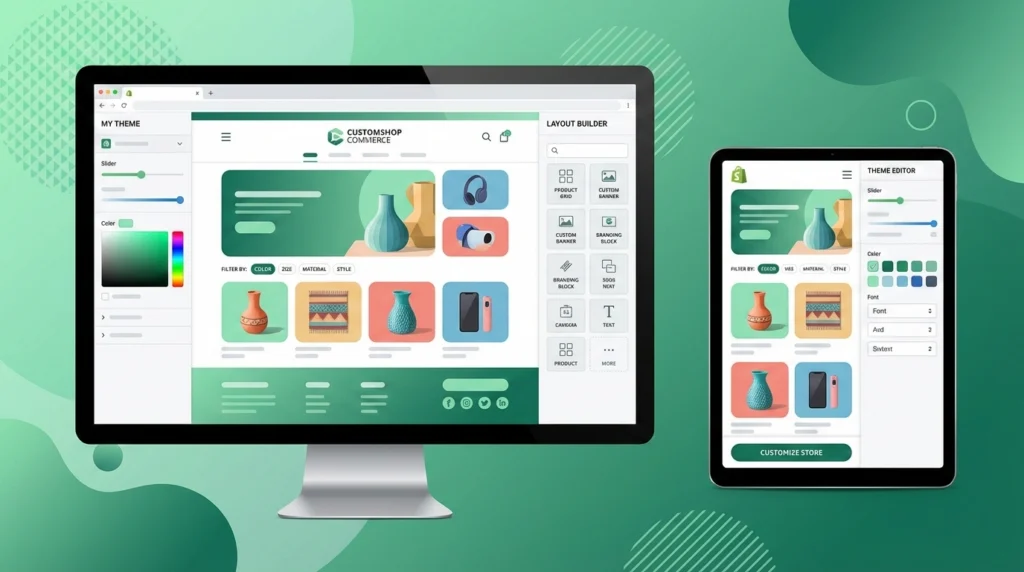
A well-designed Shopify store lets you showcase your brand through tailored layouts, navigation, and features. Thoughtful Shopify store design enhances usability, sets your business apart, and creates a memorable shopping experience, while professional development ensures the store is both attractive and efficient for customers and staff alike.
DIY-Friendly Platform
Shopify is inherently easy to manage, but a well-developed store enhances usability. Business owners can handle products, orders, and content without constant technical help. For more complex setups or added confidence, you can also hire Shopify developers to manage advanced configurations or ongoing improvements, combining flexibility with professional expertise.
Better User Experience
A store optimized for user experience makes shopping seamless and enjoyable. Thoughtful layouts, intuitive navigation, and clearly structured product pages reduce friction for customers. Visitors can find what they need quickly, browse effortlessly, and complete purchases with minimal confusion, which improves satisfaction, encourages repeat visits, and fosters long-term customer loyalty.
Higher Conversions
Optimized Shopify stores guide visitors smoothly from browsing to checkout. Clear product pages, intuitive navigation, and simple checkout flows help reduce obstacles and encourage purchases. With professional Shopify development, these elements can be enhanced further, implementing strategies that increase sales while maintaining a natural, user-friendly shopping experience, improving efficiency and profitability.
Scalability for Growth
A store built with scalability in mind can grow alongside your business. From adding new products to handling increased traffic or integrating new tools, a professional setup ensures the store can expand without major overhauls. This forward-thinking approach reduces future costs, prevents operational bottlenecks, and ensures long-term adaptability.
Faster Performance
Speed is crucial for both user experience and search engine visibility. Optimizations such as efficient coding, selective app usage, and image compression improve page load times. Faster stores keep customers engaged, reduce bounce rates, and increase the likelihood of completing purchases, creating a smoother experience across both desktop and mobile devices.
Better Security
A secure Shopify store protects both your business and your customers. Built-in features like SSL certificates, PCI compliance, and configurable permissions help prevent breaches and unauthorized access. Proper setup ensures sensitive data remains safe, fostering trust and confidence among your shoppers, and reducing potential regulatory risks. Security becomes an integral part of your operations, not an afterthought.
Seamless Third-Party Integrations
Businesses often rely on tools like CRMs, marketing platforms, or inventory systems. A professionally developed store integrates these tools smoothly, ensuring data flows consistently and processes run efficiently. This reduces errors, saves time, and allows you to manage multiple systems from a centralized, reliable e-commerce platform.
Who Needs Shopify Development?
Shopify development is valuable for a wide range of businesses, not just large enterprises.
New Businesses Launching Online
Startups benefit from Shopify development by launching with a strong foundation. Instead of rebuilding later, they can start with a scalable structure that supports growth from day one.
Growing E-commerce Brands
Brands experiencing increased traffic and sales often need advanced features, performance optimization, and better automation. Development helps them scale without operational bottlenecks.
DTC Brands
Direct-to-consumer brands rely heavily on branding and user experience. Shopify development enables custom storytelling, personalized journeys, and seamless customer interactions.
Enterprises with Complex Requirements
Large businesses often require advanced reporting, custom checkout flows, and ERP integrations. Shopify development supports these complex needs effectively.
Businesses Migrating from Other Platforms
Companies moving from WooCommerce, Magento, or custom-built platforms need careful data migration, SEO preservation, and feature mapping. Shopify development ensures a smooth transition with minimal disruption.
Learn the complete migration process in WooCommerce to Shopify Migration: A Step-by-Step Guide.
Step-by-Step Shopify Development Process
This tutorial on how to set up a Shopify store guides business owners through each stage of development, ensuring the store is organized, functional, and built to support growth and customer satisfaction.
Step 1: Initial Consultation (Strategy and Planning)
The initial consultation is focused on understanding your business inside and out. This stage is essential for aligning the store setup with your goals, customer expectations, and operational needs. It ensures that your Shopify store is not just visually appealing but strategically positioned for success.
Understanding Business Goals
The first step is to clearly define what you want to achieve with your online store. Goals could include increasing revenue, expanding into new markets, improving customer engagement, or building brand awareness. Clear objectives guide all subsequent decisions, from store design and product presentation to marketing strategies.
Target Audience and Buyer Persona Analysis
Knowing your customers is critical for creating an effective store. Analyze demographics, preferences, and buying behaviors to develop detailed buyer personas. Understanding your audience helps shape navigation, product organization, and content, ensuring the shopping experience meets customer expectations and encourages repeat business.
Competitor Research
Examining competitors in your niche provides insight into market trends, pricing strategies, and customer expectations. Identifying what works and where gaps exist allows your store to differentiate itself. Competitor analysis informs design choices, product offerings, and marketing approaches, giving you a competitive advantage.
Business Model Review (B2C, B2B, DTC)
Your business model affects store setup and features. Direct-to-consumer (DTC), B2B, or hybrid models require different workflows, product structures, and checkout options. Understanding the model ensures your Shopify store supports operations efficiently and aligns with how your customers purchase.
For businesses planning to expand into wholesale or optimize their business-to-business operations, explore Shopify for B2B: The Complete Guide to Business Growth to understand advanced pricing, segmentation, and automation strategies designed specifically for B2B growth.
Discussion of Budget, Timeline, and Expectations
Aligning budget and timeline with project scope helps prioritize features and plan milestones. Knowing expected outcomes ensures decisions are realistic and manageable, preventing delays or overspending during development. It also helps determine which Shopify plan and features will best meet your needs.
Shopify Plan Selection
Choosing the right Shopify plan is a crucial step that impacts the features, scalability, and cost of your store. The plan you select should align with your current business needs and anticipated growth. It determines what tools, customization options, and automation features are available during setup, ensuring your store is both functional and future-ready.
Factors to Consider When Selecting a Plan:
- Monthly Sales Volume: Higher transaction volumes may benefit from plans with lower transaction fees and advanced reporting tools.
- Number of Products: Larger catalogs require higher-tier plans for efficient inventory management.
- Need for Custom Checkout: Some plans allow advanced checkout customization for specific business models.
- Need for Automation: Automating marketing, inventory, or order processing may require additional features.
- Third-Party Integrations: Ensure the plan supports the apps and tools you rely on, such as CRMs, email platforms, or accounting systems.
Overview of Shopify Plans
- Basic Plan: Designed for solo entrepreneurs and small startups. Includes standard features, essential reporting, and core Shopify tools to launch an online store quickly and efficiently. $29 USD/month, billed yearly.
- Grow Plan: Ideal for small teams and growing stores. Offers enhanced reporting, more features, and improved workflow management to support business growth and day-to-day operations. $79 USD/month, billed yearly.
- Advanced Plan: Suitable for scaling businesses needing advanced analytics, lower transaction fees, and additional automation. Supports larger product catalogs and complex workflows to help stores expand efficiently. $299 USD/month, billed yearly.
- Plus Plan: Built for larger or complex businesses requiring custom checkout, automation, and headless commerce support. Provides full flexibility, enterprise-level features, and high scalability. $2,300 USD/month, billed yearly.
Step 2: Store Setup
Once your business strategy and Shopify plan are finalized, the next step is to set up your store. This stage ensures that your online presence is functional, secure, and ready to sell. Proper setup covers essential components like domains, store settings, shipping, taxes, and legal compliance.
Domain Setup
A strong domain establishes your store’s identity and credibility. Shopify lets you purchase domains directly, simplifying connection and setup. Alternatively, third-party providers like Bluehost, GoDaddy, or Hostinger offer competitive pricing and extra features such as email hosting or DNS management. Choosing the right domain ensures your store is professional, memorable, and easily discoverable by customers.
Shopify Account Configuration
After domain setup, configuring your Shopify account is essential. This includes adding business information, store name, and contact details, as well as setting up staff accounts and permissions. Proper configuration ensures smooth management and secure access for anyone involved in running your store.
Basic Store Settings
Basic store settings cover essential details like currency, language, time zone, and store policies. These settings ensure a consistent experience for customers, streamline operations, and prepare your store for smooth transactions. Adjusting these early prevents issues with orders, reporting, and customer communication.
Shipping and Tax Setup
Correct shipping and tax settings are critical for both compliance and customer experience. You need to define shipping zones, rates, and methods based on your business model and location. Taxes must be calculated correctly to follow local regulations. A properly configured system reduces errors and builds customer trust at checkout.
Legal Pages
Every online store needs clear legal documentation. Essential pages include Privacy Policy, Terms and Conditions, and Refund Policy. Setting these up during store creation not only protects your business legally but also increases customer confidence by clearly communicating your policies.
Step 3: Theme Installation
The theme shapes your store’s appearance, navigation, and overall customer experience. Selecting the right Shopify theme is an important step that influences branding, usability, and conversions.

Choosing Between Themes
- Free Shopify Themes: Suitable for startups or testing ideas. They offer basic functionality, easy setup, and reliable support, though customization options are limited.
- Premium Themes: Paid themes with richer features, flexible layouts, and professional support. Ideal for businesses that want a polished look and extra functionality without building a theme from scratch.
- Custom-Built Theme: Fully designed and coded to meet unique brand requirements. Best for large businesses or stores needing advanced features and a completely personalized design.
To explore the differences in depth and see which option might suit your business best, check out Free vs Paid Shopify Themes: Which Is Better for Your Online Store?.
Installing and Activating the Theme
After selecting a theme, it must be added to your Shopify account and activated. This step applies all layout, design, and functional elements to the store, creating a ready foundation for further customization and content setup.
Step 4: Theme Customization (Front-End Development)
Once a theme is installed, the next step is customizing it to match your brand and optimize the shopping experience. Front-end customization ensures your store is visually appealing, functional, and designed to guide customers toward purchase.
Branding Alignment
Customize your logo, color scheme, fonts, and other visual elements to reflect your brand identity. Consistent branding across the store builds recognition, trust, and professionalism, ensuring customers instantly connect with your business.
Homepage Layout Design
Design the homepage to highlight key products, promotions, and messaging. Strategic placement of banners, collections, and calls-to-action helps visitors navigate easily and understand your value proposition at a glance.
Product Page Optimization
Optimize product pages with clear images, compelling descriptions, and structured information like size, color, and specifications. A well-organized product page improves engagement and makes it easier for customers to make informed purchase decisions.
Mobile-First Responsive Design
With most shoppers browsing on mobile, ensure your store is fully responsive. Mobile-first design guarantees that layouts, buttons, and navigation adapt seamlessly to smaller screens, providing a smooth shopping experience on any device.
Conversion-Focused UX
Focus on user experience elements that drive sales, such as intuitive navigation, simplified checkout, and strategically placed calls-to-action. A conversion-oriented design minimizes friction and guides visitors naturally toward completing purchases.
Step 5: Product Management
After customizing your theme, it’s time to add and organize your products. Effective product management ensures that your offerings are presented clearly, attractively, and in a way that makes shopping simple and enjoyable for your customers.
Adding Products
Enter your products into Shopify with all relevant details such as name, price, SKU, and variants like size or color. Proper setup at this stage prevents errors and makes it easier to manage your catalog as it grows.
Writing Product Descriptions
Craft compelling product descriptions that highlight features, benefits, and unique selling points. Clear, persuasive copy helps customers understand the value of each product and can improve search engine visibility.
Product Images and Optimization
Use high-quality images to showcase your products from multiple angles. Optimize images for fast loading without losing quality, ensuring your store performs well on both desktop and mobile devices.
Organizing Collections and Categories
Group products into logical collections and categories to make browsing simple. Well-structured collections improve user experience, help customers find products quickly, and can boost sales by promoting related items.
Inventory Management Setup
Set up inventory tracking within Shopify to monitor stock levels accurately. Integration with inventory management tools can automate updates, prevent overselling, and streamline order fulfillment, ensuring your store runs smoothly.
Step 6: Payment Gateway Setup
Setting up payment gateways is a crucial step to ensure smooth transactions and customer trust. A well-configured payment system allows customers to pay conveniently while keeping your store secure and compliant.
Shopify Payments
Shopify Payments is the platform’s built-in payment solution, making setup simple and integrated with your store dashboard. However, it may not be supported in all countries, so check availability for your region before relying solely on it. Using Shopify Payments can reduce transaction fees and simplify reporting.
Third-Party Gateways
For regions where Shopify Payments is unavailable or for added flexibility, you can integrate third-party gateways like Razorpay, PayPal, Stripe, or other local options. These gateways provide alternative payment methods and can help cater to customers’ preferences, especially if you operate in countries like India.
Multiple Payment Options for Customers
Offering multiple payment methods, including credit/debit cards, digital wallets, and UPI or net banking options, enhances the customer experience. More options reduce checkout friction, increase conversions, and make your store accessible to a broader audience.
Security and Transaction Reliability
Secure payment processing protects both your business and customers. Implementing SSL certificates, PCI compliance, and fraud prevention measures ensures transactions are safe and builds trust. Reliable payment gateways minimize failed transactions and provide smooth financial operations for your store.
Step 7: App Integration and Custom Features
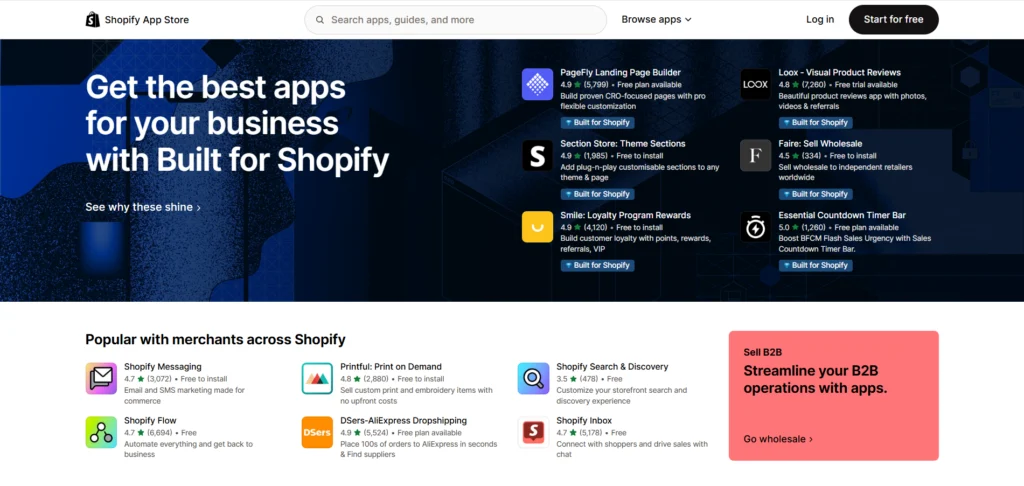
As your ecommerce store takes shape, integrating the right apps and features becomes essential for efficiency and scalability. Shopify Apps extend the platform’s capabilities, while custom features help tailor the store to specific operational and customer needs.
Installing Essential Shopify Apps
Essential apps help manage key business functions. Email marketing apps support customer communication and promotions. CRM tools help track customer behavior and relationships. Inventory management apps maintain accurate stock levels, while analytics apps provide insights into performance, sales trends, and customer activity, enabling better decision-making.
Custom App Development if Required
Some businesses require functionality beyond what standard apps provide. Custom app development allows you to build features tailored to unique workflows, pricing models, or operational requirements, ensuring the store supports your business processes without compromise.
API Integrations with ERP, CRM, or Accounting Tools
API integrations connect Shopify with external systems such as ERP, CRM, or accounting software. This enables seamless data flow across platforms, reducing manual work, improving accuracy, and ensuring consistent information across inventory, customer data, and financial records.
Shopify SEO Apps
Shopify SEO apps can help simplify certain SEO tasks, especially for stores with larger catalogs. These tools assist with site audits, bulk editing of metadata, and monitoring SEO health. Apps such as Yoast SEO, StoreSEO, and Smart SEO are commonly used to identify issues and maintain consistency. However, these apps support SEO efforts and do not replace strategy, content quality, or proper store structure.
Social Media Integration Apps
Certain Shopify apps allow you to display and sell products directly on social media platforms like Instagram, Facebook, and Pinterest. Apps like Shopify’s Facebook & Instagram Shop, Feed for Instagram, and Instagram Shop by SNPT help businesses sync their product catalog with social channels. This extends your reach, drives traffic from social media, and allows customers to shop without leaving their favorite platforms.
Step 8: Performance Optimization
Performance directly affects user experience, search visibility, and conversions. A fast-loading Shopify store keeps visitors engaged and reduces bounce rates. Performance optimization focuses on improving speed, efficiency, and overall site responsiveness without compromising design or functionality.
Page Speed Improvements
Improving page speed involves optimizing code, reducing server response time, and streamlining store resources. Faster pages create smoother navigation, improve customer satisfaction, and increase the likelihood of users completing purchases.
For a detailed guide on boosting your Shopify store’s performance, check out Shopify Speed Optimization: Tips to Boost Store Performance.
Reducing Unnecessary Apps
While apps add functionality, too many can slow down your store. Reviewing and removing unused or overlapping apps helps reduce load times and improves overall stability, ensuring your store runs efficiently.
Image Optimization
High-quality images are important, but large file sizes can affect performance. Optimizing images through compression and proper formatting ensures fast loading while maintaining visual quality across all devices.
Improving Core Web Vitals
Core Web Vitals measure loading speed, interactivity, and visual stability. Improving these metrics helps deliver a smoother user experience and supports better search engine performance, especially on mobile devices.
Step 9: SEO Setup
SEO setup helps your Shopify store attract consistent, high-quality traffic from search engines. A strong foundation ensures your products are discoverable, pages are indexed correctly, and customers can easily find what they are searching for. This step combines core SEO principles with optional tools that assist in managing and monitoring optimization efforts.
Technical SEO Basics
Technical SEO ensures that search engines can crawl and index your store efficiently. This includes sitemap submission, HTTPS security, proper indexing settings, and clean site structure. Shopify handles many technical aspects automatically, but regular checks help prevent crawl errors and ensure all important pages are accessible to search engines.
Optimized URLs
Clean and readable URLs improve both user experience and search visibility. Shopify generates URLs automatically, but reviewing them ensures clarity and relevance. Well-structured URLs help search engines understand page content and make links more appealing to users when shared or displayed in search results.
Meta Titles and Descriptions
Meta titles and descriptions define how your pages appear in search engine results. Writing clear, relevant, and keyword-focused metadata improves click-through rates. While SEO apps can help manage metadata in bulk, thoughtful manual optimization ensures each page accurately reflects its content and intent.
Schema Markup
Schema markup provides structured data that helps search engines understand your products, pricing, availability, and reviews. Shopify includes basic schema by default, which supports rich search results. Enhancing structured data improves visibility and can increase trust by displaying more detailed information in search listings.
Product Page SEO
Product page SEO focuses on optimizing titles, descriptions, images, and internal links. Clear product information, optimized images, and relevant keywords improve rankings and user engagement. Strong product page SEO not only attracts traffic but also helps convert visitors into customers by providing clear and useful information.
Step 10: Testing and Launch
Before making your Shopify store public, thorough testing is essential to ensure everything works as expected. This step helps identify issues that could affect user experience, payments, or functionality, allowing you to launch with confidence and avoid costly post-launch problems.
Functionality Testing
Functionality testing checks whether all store features work correctly. This includes navigation menus, search functionality, product filtering, forms, and app integrations. Ensuring every element behaves as intended helps create a smooth and reliable shopping experience for users.
Mobile Testing
With a large percentage of customers shopping on mobile devices, testing your store across different screen sizes is critical. Mobile testing ensures that layouts, buttons, images, and navigation adapt properly, providing a seamless experience on smartphones and tablets.
Checkout Testing
Checkout testing focuses on the most important part of the customer journey. This includes verifying cart behavior, discount codes, shipping calculations, and checkout flow. A smooth and intuitive checkout process reduces cart abandonment and improves conversion rates.
Payment Testing
Payment testing ensures that all configured payment gateways process transactions correctly. Test different payment methods to confirm successful payments, proper order confirmation, and accurate transaction records. This step helps prevent payment failures once the store is live.
Final Bug Fixes
Any issues identified during testing should be resolved before launch. Fixing bugs related to design, performance, or functionality ensures the store operates smoothly and reduces the risk of negative customer experiences after launch.
Store Goes Live
Once testing is complete and all issues are resolved, the store is ready to go live. Publishing the store makes it accessible to customers, marking the official start of your online business operations.
Step 11: Training and Support
After the store goes live, business owners should make sure they know how to manage it on their own. It is important to ask the Shopify developers for proper training instead of depending on them for every small change. This helps you save time, reduce costs, and run the store confidently.
Training for Business Owners and Staff
Shopify developers should train business owners and their team on how the store works. This training should focus on daily tasks, not technical coding. Business owners should confirm that training is included before the project is closed.
Managing Products and Orders
Training should clearly explain how to add products, update prices, manage inventory, and process orders. When business owners understand these steps, they can handle regular store operations without external help.
Understanding the Shopify Dashboard
A simple walkthrough of the Shopify dashboard helps business owners know where to find orders, customers, and reports. This makes it easier to track sales and manage the store from one place.
Post-Launch Technical Support
Even after training, some technical help may be needed. Business owners should check what support is available after launch, such as fixing issues, updating apps, or handling unexpected problems.
Step 12: Digital Marketing
Launching your Shopify store is only the beginning. To attract customers and generate sales, you need a clear digital marketing strategy. This step focuses on promoting your store, reaching the right audience, and tracking performance so you can improve results over time.
SEO Strategy for Shopify Store
Shopify SEO helps your store appear in search results when people look for your products. This includes optimizing product pages, collections, and content so search engines can understand your store and send relevant traffic.
Google Ads Setup
Google Ads allows you to promote your products to users who are actively searching for them. Setting up ads correctly helps control budgets, target the right keywords, and drive traffic quickly while measuring performance through clear metrics.
Social Media Marketing
Social media platforms help you connect with your audience and build brand awareness. Sharing products, offers, and updates on platforms like Instagram and Facebook can bring traffic to your store and encourage customer engagement.
Email Marketing Campaigns
Email marketing helps you stay in touch with customers through order updates, promotions, and newsletters. Well-planned campaigns can increase repeat purchases and build long-term relationships with your audience.
Conversion Tracking and Analytics
Tracking conversions helps you understand what is working and what is not. Using analytics tools, you can monitor traffic sources, sales, and user behavior, allowing you to make informed decisions and improve your marketing efforts.
Factors Affecting the Cost of Shopify Store Setup
The Shopify development cost depends on multiple factors related to design, functionality, and long-term business needs. Understanding these elements helps business owners plan budgets more effectively.
1. Design Complexity
Simple designs using standard layouts cost less, while custom layouts, advanced UX elements, and detailed branding require more development time, increasing the overall Shopify development cost.
2. Number of Features
Stores with basic features are more affordable. Advanced filters, custom search, subscriptions, customer accounts, or additional functionality increase development effort and directly affect the final cost.
3. Shopify Plan Chosen
Higher Shopify plans offer better automation, reporting, and scalability. Choosing a plan that supports your store size and growth impacts development flexibility and long-term costs.
4. Need for Custom Apps
Custom apps, third-party integrations, and API connections add complexity. These are needed for unique workflows or system integrations but increase development, testing, and maintenance costs.
5. Ongoing Maintenance
Regular updates, security checks, SEO improvements, bug fixes, and performance optimization require ongoing support, contributing to long-term Shopify development expenses.
If you want a deeper understanding of how each element influences pricing, read Shopify Development Cost: Key Factors That Affect Your Budget. This guide explains in detail how design, features, integrations, and maintenance impact the total cost of building and managing a Shopify store.
How to Choose the Right Shopify Developer
Choosing the right Shopify web developer is important for building a reliable, scalable, and high-performing store. Consider these factors to make a smart decision for your business.
1. Portfolio and Case Studies
Examine the developer’s past Shopify projects to see design quality, functionality, and problem-solving skills. Real examples show their ability to deliver results for different types of stores.
2. Experience With Similar Businesses
Shopify experts familiar with your industry or business model understand common challenges and customer behavior, which helps create a store tailored to your market without unnecessary trial and error.
3. Shopify Certifications
Certified website developers follow Shopify best practices, understand platform updates, and ensure security and functionality. Certification provides confidence that the store is built using current standards.
4. Communication and Transparency
A developer should provide clear explanations, regular progress updates, and honest timelines. Open communication ensures you understand each step of development and can make informed decisions.
5. Development Cost
Compare pricing based on value and quality. Extremely low costs may compromise results, while clear and fair pricing reflects expertise, careful planning, and reliable delivery.
6. Post-Launch Support
Check what support is included after launch, such as bug fixes, app updates, and performance improvements. Reliable post-launch assistance ensures your store runs smoothly as it grows.
Common Challenges in Shopify Development and Solutions
Common issues include slow site speed, excessive app usage, poor mobile experience, complex checkout flows, and limited customization. These challenges are addressed through performance optimization, careful app selection, mobile-first design, and custom development strategies.
Shopify Development Best Practices
This checklist of Shopify development best practices helps business owners create a store that is user-friendly, efficient, and ready for growth, providing a solid foundation for long-term success.
1. Prioritize UX
A smooth and intuitive user experience increases engagement and conversions. Focus on clear navigation, easy product discovery, and simple checkout flows to keep visitors satisfied and encourage purchases.
2. Optimize for Mobile
Most customers shop on mobile devices. Ensure your store’s design is fully responsive, images load quickly, and buttons are easy to tap, providing a seamless experience across all screen sizes.
3. Use Fewer but Powerful Apps
Too many apps can slow down your store. Select apps that provide essential functionality and integrate well with your store, keeping performance high and management simple.
4. Invest in SEO Early
Optimize your store from the start with clear titles, descriptions, URLs, and content. Early SEO setup improves search rankings, drives organic traffic, and reduces the need for major fixes later.
5. Regular Updates and Maintenance
Keep your store, apps, and themes updated. Regular maintenance prevents bugs, improves security, maintains speed, and ensures your store adapts to new features or platform changes.
Final Thoughts on Shopify store setup
A strategic approach to Shopify store setup is essential for building a successful online business. From planning and development to optimization and marketing, every step contributes to performance and growth. Business owners who invest in professional Shopify development services gain a scalable, secure, and conversion-focused store. Now is the time to consult experts, plan strategically, and build a Shopify store that supports long-term success.